

Latest Version
Ross Tulloch
Tools
Mac
Free
777031670
Report a Problem
More About FileInsight
The Challenge of Unexplained Disk Activity on macOS
Have you ever noticed your Mac's fans spinning up or your system slowing down, only to wonder what background processes are thrashing your storage drive? Without the right tools, tracking down silent modifications, hidden cache updates, or rogue background writes is incredibly difficult. FileInsight disk monitoring offers a professional-grade window into your storage subsystem, allowing power users, developers, and system administrators to see exactly what is happening under the hood in real time.
Real-Time Activity Tracking and File Auditing
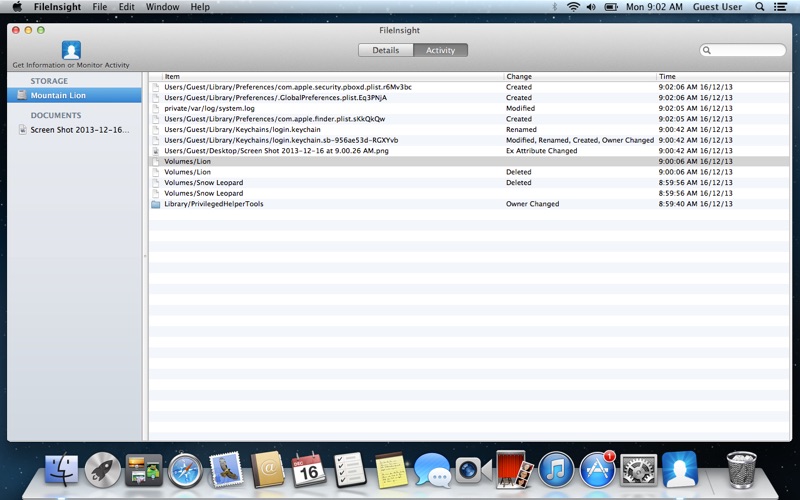
The standout feature of this utility is its live disk activity monitor. Instead of guessing which applications are writing data, you can watch a live, scrolling display of every single file modification occurring across your volumes. FileInsight disk monitoring categorizes and reports several types of changes instantly:
- Content & Metadata Changes: Track when file contents are modified, size parameters shift, or metadata attributes are updated.
- Lifecycle Events: Monitor file creations and permanent deletions as they occur.
- Organizational Shifts: Identify name changes, path alterations, ownership handovers, and permission adjustments.
Deep-Dive Metadata and Cryptographic Hashing
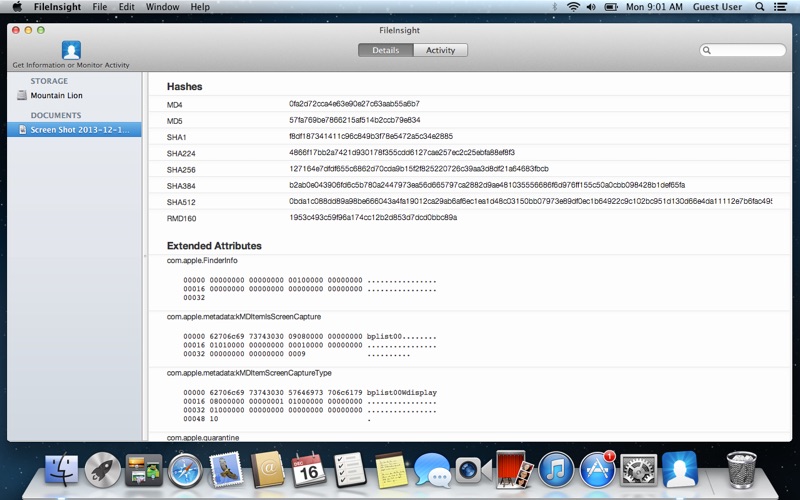
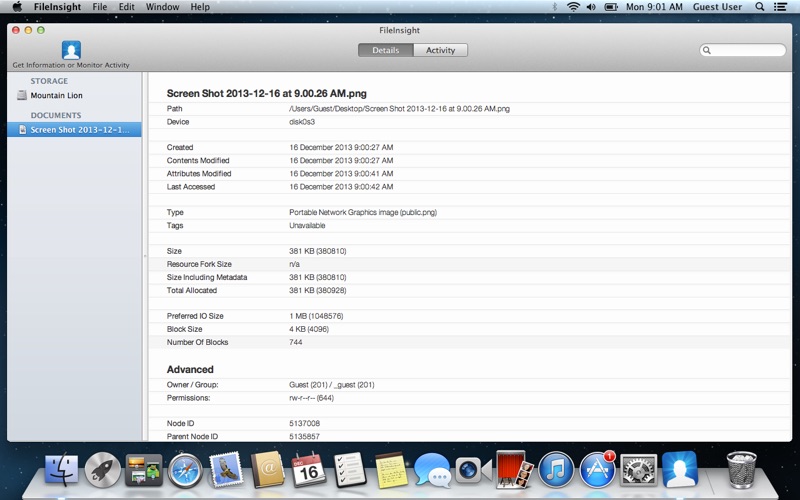
Beyond live monitoring, this tool acts as an advanced inspector for individual files. It extracts a wealth of low-level filesystem data that the standard macOS Finder hides. Users can view precise BSD device paths, node IDs, parent node IDs, block sizes, and preferred I/O sizes. It also displays classic MacOS creator types, extended attributes, and hard link counts.
For security analysts and developers, the inclusion of a hex dump for extended attributes (and the first/last 25kb of a file) is invaluable. Security audits are further streamlined by the app's ability to generate cryptographic hashes on demand, supporting a wide range of algorithms including MD5, SHA1, SHA256, SHA512, and RMD160.
Comprehensive Volume and Disk Diagnostics
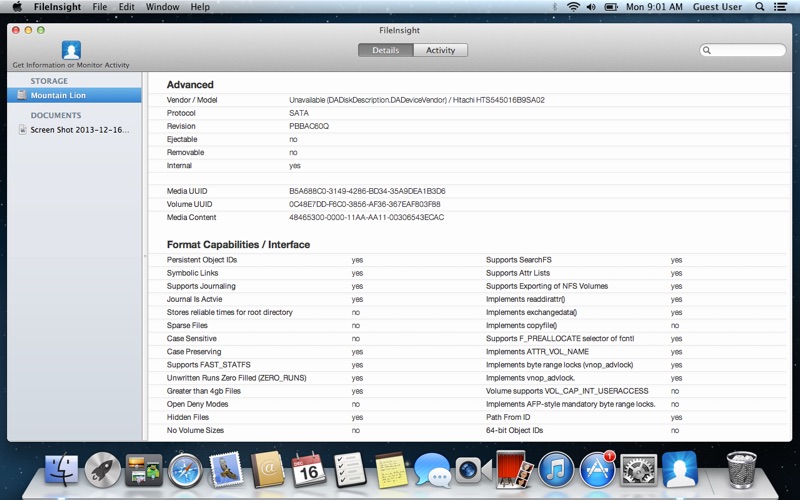
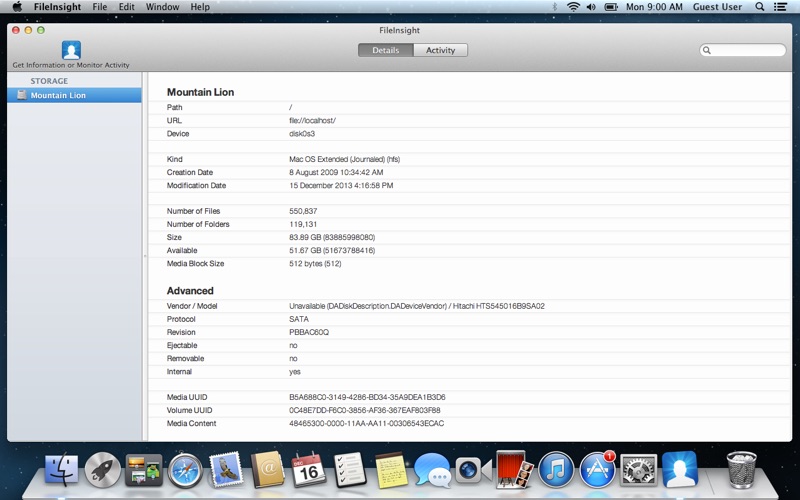
Understanding individual files is only half the battle; you also need to understand the media hosting them. This utility provides exhaustive diagnostic data for connected disks, detailing the physical and logical attributes of your storage. You can quickly inspect volume UUIDs, media UUIDs, file system formats, read/write performance metrics, and protocol specifications. It also checks support for files larger than 4GB alongside over thirty distinct disk format capability and interface flags.
Verdict: A Must-Have Tool for Power Users
Ross Tulloch has built a highly focused, lightweight utility that brings transparency back to macOS storage management. Whether you are debugging an app, auditing file permissions, or hunting down a phantom process consuming your disk space, this utility delivers the granular data you need. To explore its capabilities firsthand, head over to the Mac App Store to view the official listing for FileInsight.
Rate the App
User Reviews














Popular Apps










Editor's Choice