
Latest Version
Raymond NG
Tools
Mac
Free
1457323640
Report a Problem
More About My Files for Samsung Galaxy
The Ultimate Mac-to-Android File Transfer Solution
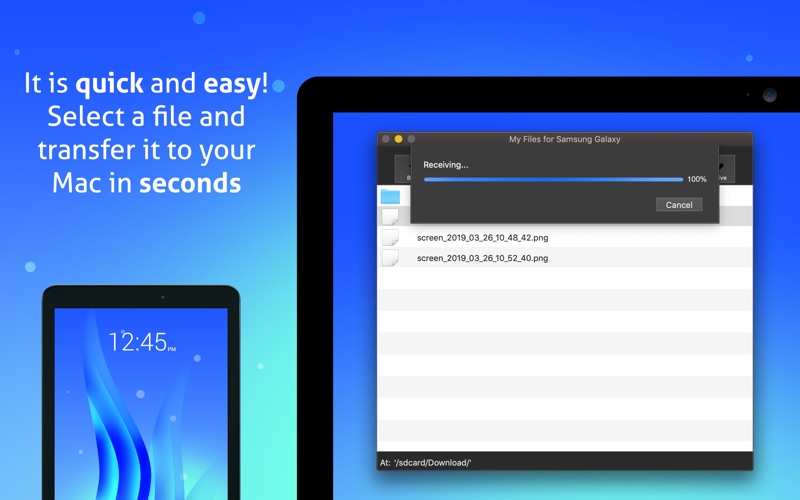
If you have ever tried to connect an Android device to a macOS computer, you know that the native compatibility is far from seamless. The My Files for Samsung Galaxy Mac transfer tool solves this exact problem by providing a direct, high-speed bridge between your Mac and your Android phone or tablet. Developed by Raymond NG, this utility eliminates the typical frustrations of cross-platform file management by offering a plug-and-play desktop experience.
Key Features of My Files for Samsung Galaxy Mac Transfer Tool
This utility is designed with efficiency in mind, packing essential features that make file sharing straightforward and secure:
- Zero Mobile App Installations: You do not need to download or run any companion applications on your Android device. Simply connect and start managing files.
- Comprehensive Device Support: While optimized for Samsung Galaxy models, it fully supports popular Android hardware from Google, Sony, LG, Motorola, OnePlus, Xiaomi, OPPO, Vivo, Nokia, and Asus.
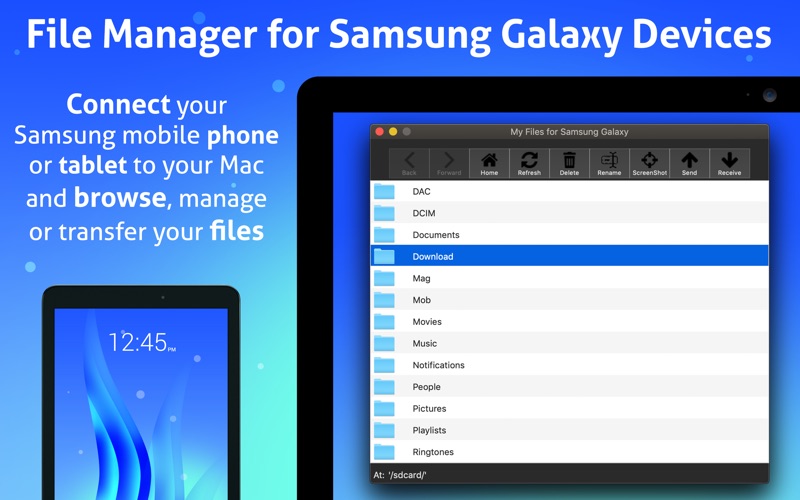
- Dual Storage Management: Easily browse, rename, delete, and transfer items across both your device's internal storage and any installed microSD card.
- Instant Desktop Screenshots: Take a real-time screenshot on your connected Android device and save the image file directly to your Mac.
- Modern Interface: Includes native support for both Light and Dark modes to match your macOS system preferences.
How the Connection Works
Setting up the My Files for Samsung Galaxy Mac transfer tool for the first time is quick and secure, utilizing your device's built-in developer options for a stable wired connection:
- Open your Android device Settings and navigate to "About device".
- Tap the "Build number" field 7 times to unlock the developer menu.
- Return to the main Settings menu, open "Developer options", and enable "USB debugging".
- Connect your mobile device to your Mac via a USB cable and launch the desktop application.
- When prompted on your mobile screen, select "Always allow from this computer" and click OK.
The Verdict: Is It Right For You?
For macOS users who frequently need to move photos, videos, and documents to and from Android hardware, the My Files for Samsung Galaxy Mac transfer tool offers an incredibly reliable and lightweight alternative to bloated cloud sync services. It is fast, respects your local data privacy, and requires no wireless setup.
If you are ready to streamline your daily cross-platform workflow, you can learn more and view the utility on its official Mac App Store download page.
Rate the App
User Reviews












Popular Apps










Editor's Choice